
Download my invoices
Once your order has been shipped, you can access your invoice directly from your GONG account.
It is easy to do, just follow the steps below:
Log in to your personal account
Go to the homepage of our website and log in using your email address and the six-digit code that will be sent to that same address.Access your orders
Once logged in, click on “Orders” to view your purchase history.Select the relevant order
Locate the order for which you would like to download the invoice.
View order details
You will then see a full summary of your order, including the list of products, prices, quantities, and delivery information.Download the invoice
On this page, you will find a "Download Invoice" button. Click it to get your invoice in PDF format.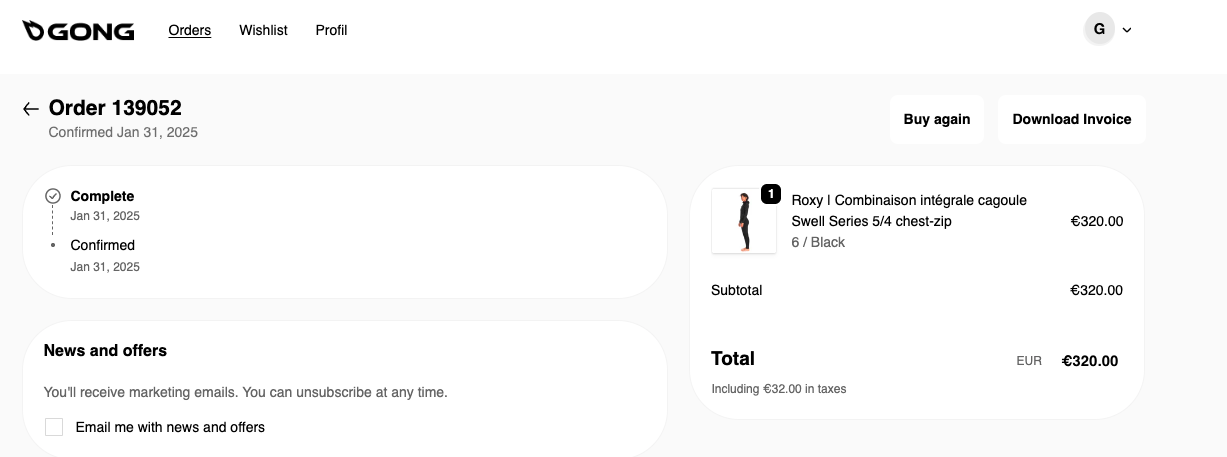
You can now download and save your invoice.
If you have any further questions or encounter any issues, please don’t hesitate to contact our customer support team via the contact form.